
Retail · Multi location
Every branch, its own stock, one back office
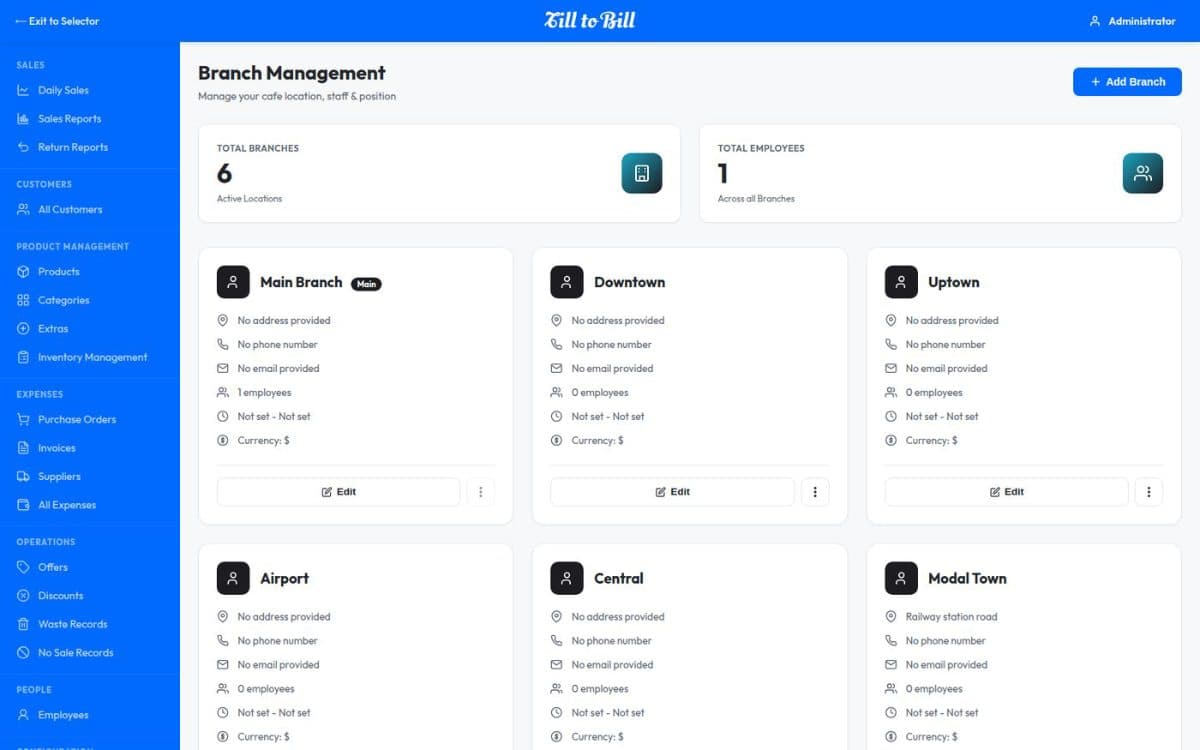
Stock, employees and reporting held per branch, with a branch filter on every list and every report, so you can look at one shop or the whole estate.
Sound familiar?
Ringing another branch to ask whether they have one in stock
Each shop reporting in a slightly different spreadsheet
No way to tell a bad week from a bad shop
What you get on day one
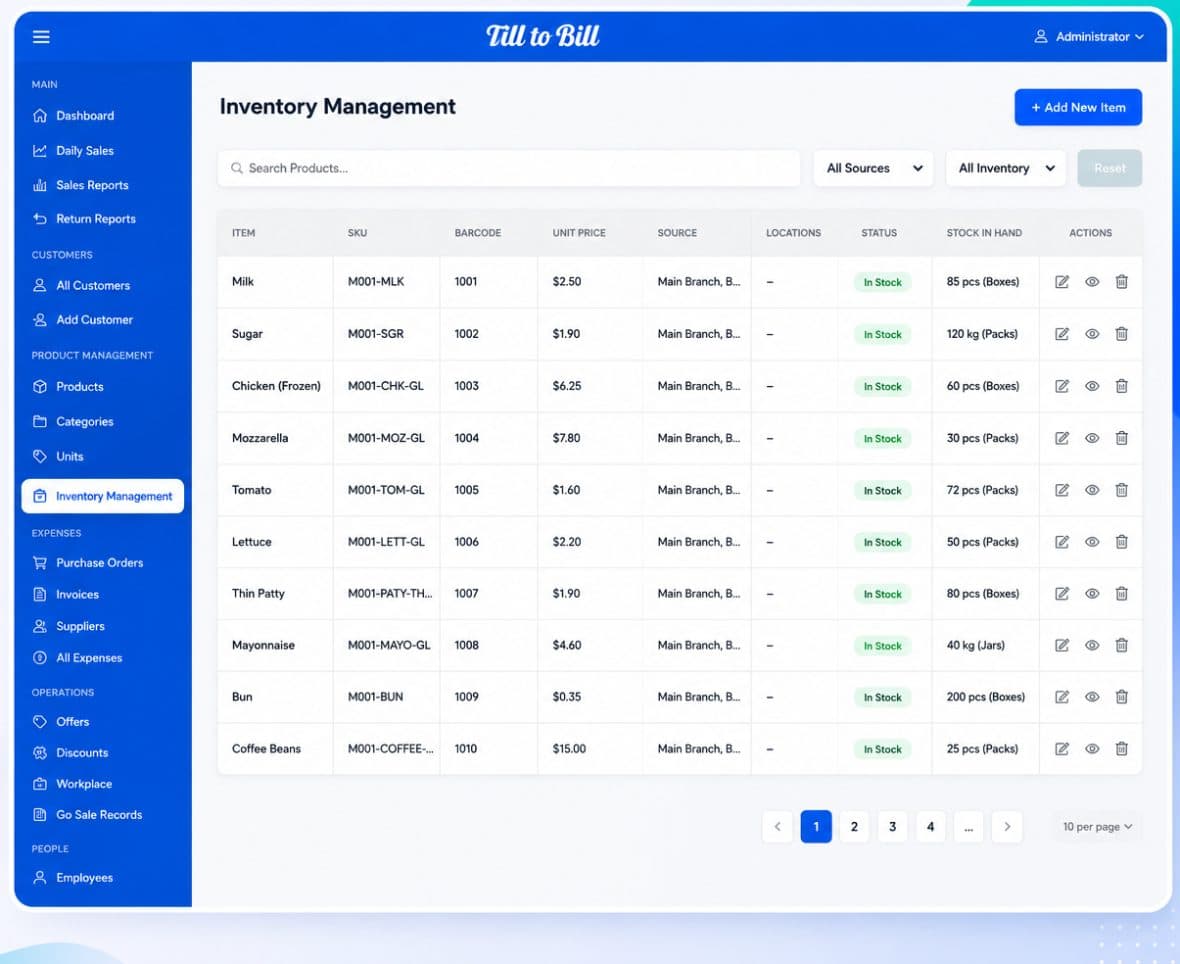
Stock per branch
The same item held at five branches, counted and filtered separately, so the number you see is the number on that shelf.
Employees per branch
Staff assigned to the branches they work, with PIN access and role permissions that follow them.
Branch filter everywhere
Inventory, suppliers, purchase orders, sales and returns all filter by branch from the same control.
One catalog, many shops
Products and categories defined once, with stock and availability managed at each site.
Consolidated or per-site reports
Sales, return and daily reports run for one branch or across all of them.
White-label the whole thing
Your brand across the till and the back office at every site.
Open a shop without an implementation project
Add the branch, assign the staff, load the opening stock. The catalog and the permissions are already there, because they belong to the account rather than the till.
- Add a branch without rebuilding the catalog
- Scheduled backup of the whole account
- Multi-language for a mixed team
5+
branches on one account
1
catalog across the estate
1 day
to bring a new shop live
Four shops, one product list, and I stopped getting phone calls asking what the price is.
Questions we get asked
See it on your own menu
Send your menu across and we will build it into a live demo till before the call.