
Hospitality · QSR
Every second at the counter, back in your pocket
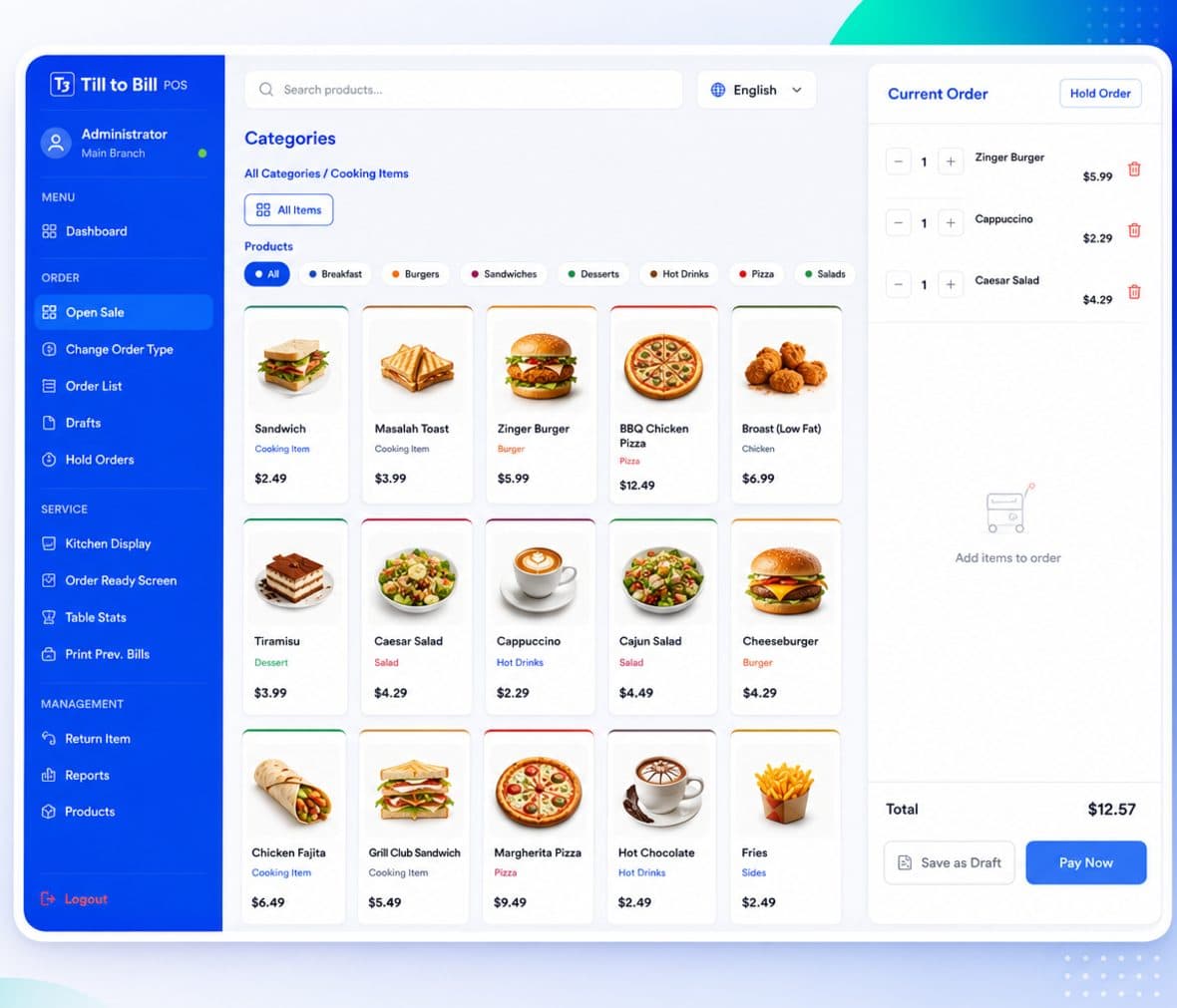
A search-first product grid, order types on every sale, and a kitchen display with live lane counts so the counter and the queue never argue about what is up.
Sound familiar?
A queue out the door at 12:40 and one till open
Modifiers captured differently by whoever is on shift
No way to tell counter trade from take-out trade
What you get on day one
Search-first grid
Colour-coded category chips, an All view and search across the catalog. Nothing is more than a tap and a type away.
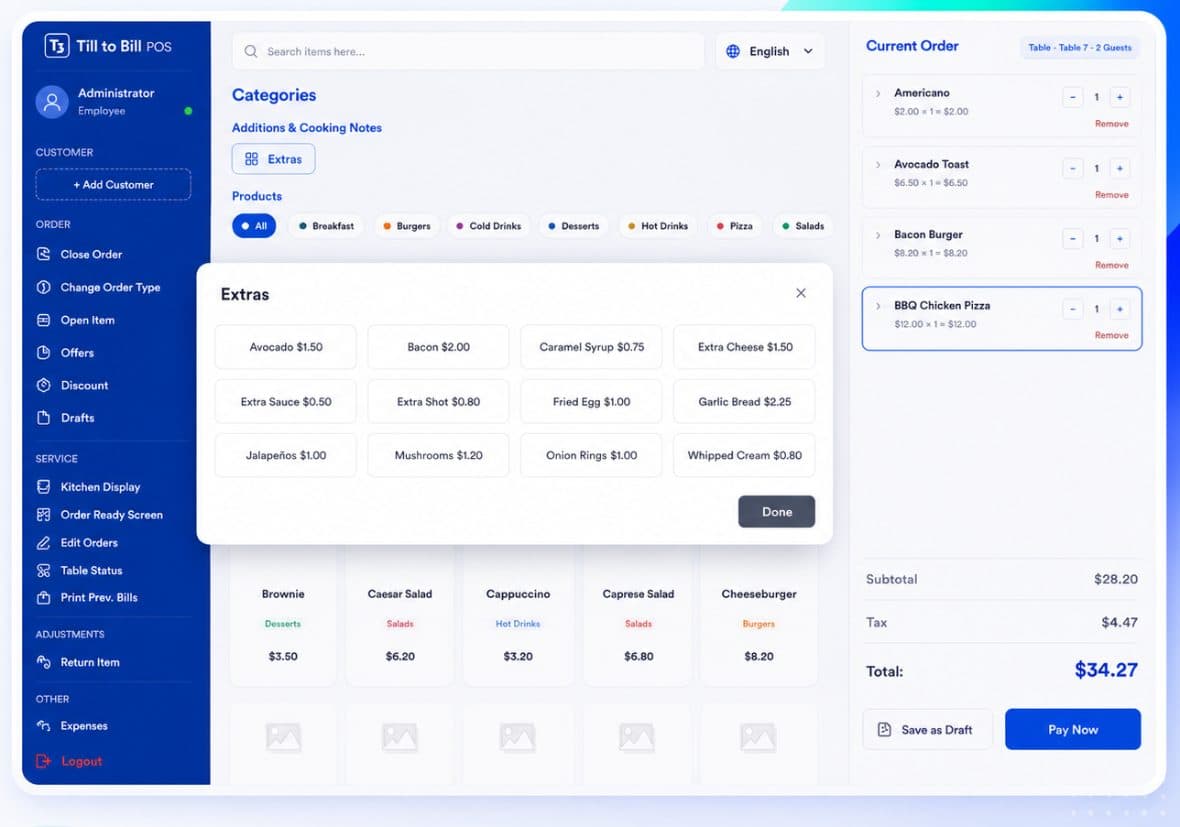
Customisation in one dialog
Required ingredients, size, spice and extras captured together, so the kitchen ticket is right first time.
One queue, every order type
Counter, take out and delivery all land on the same kitchen screen, each tagged with its type.
Drafts and open item
Park an order mid-queue, or ring in a custom-price line without breaking the reporting.
Built for the forty minutes that pay for the week
Large targets, a shallow interface two levels deep, and no hidden gestures. A new starter takes orders on their first shift without a trainer stood behind them.
- Rail grouped into Order, Service and Adjustments
- Quick search instead of nested menus
- Kitchen lanes with live counts
18s
average order time
5
kitchen status lanes
3
order types reported apart
The screen never argues with us at midday. That is the whole review.
Questions we get asked
See it on your own menu
Send your menu across and we will build it into a live demo till before the call.