
The till
Two levels deep. Nothing hidden. Never offline.
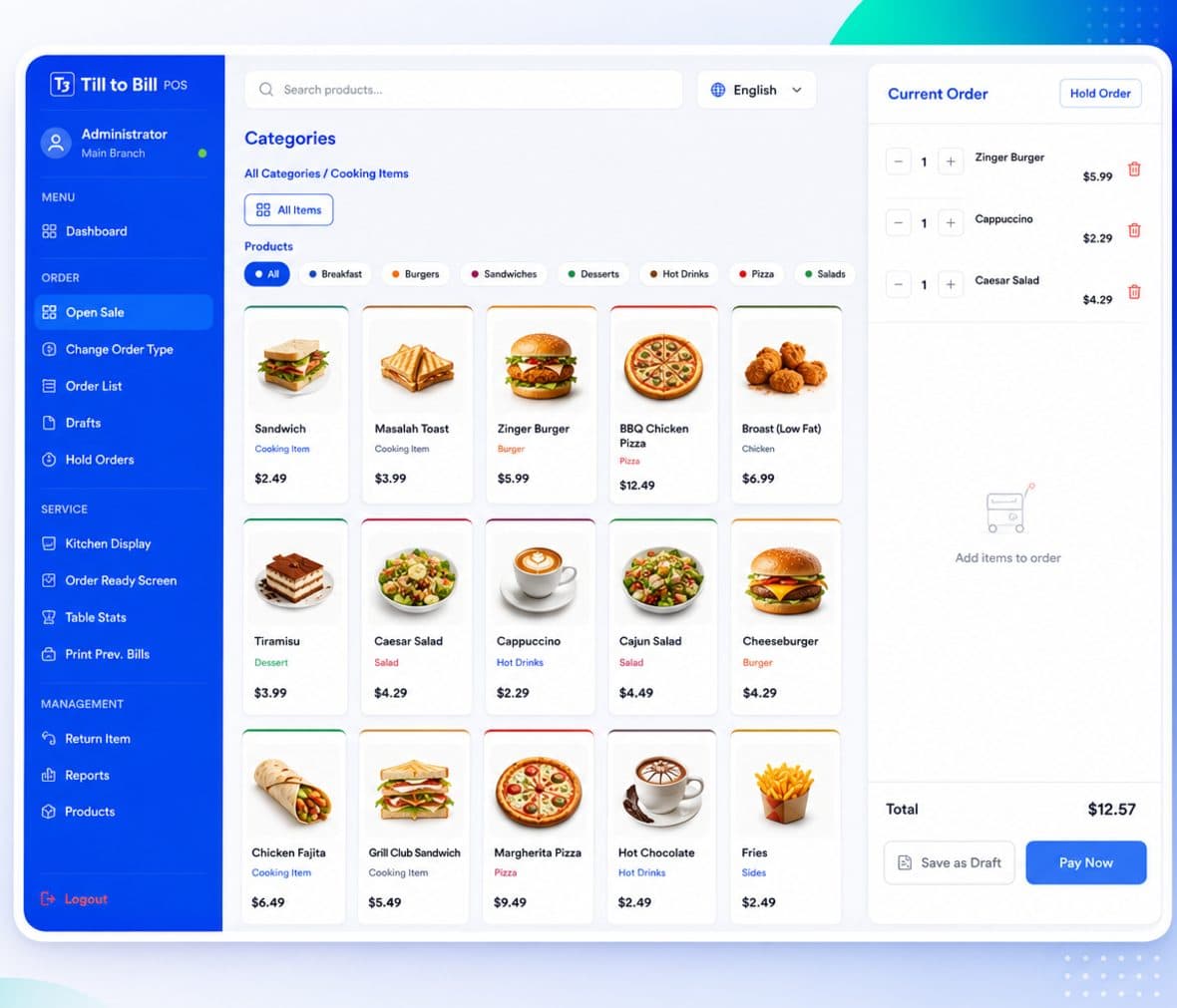
The order screen is the product. Everything else — payments, stock, staff and reporting — hangs off it, so the number on the report is the number that went in the drawer.
Six modules, one licence
Order rail
Open and close order, change order type, open item, offers, discount and drafts — grouped where a shift expects them.
Product grid
Colour-coded category chips, an All view and search across every item in the catalog.
Order panel
Per-line quantity steppers, remove, and subtotal, tax and total computed separately.
Payment
Cash and card tabs with quick amounts, live change, then print bill or start a new order.
Service actions
Kitchen display, order ready screen, edit orders, table stats and print previous bills.
Adjustments
Return item, refund order, waste and no-sale, each recorded on its own audited path.
Worth reading
The detail that matters at 7pm
Staff sign in with a four-digit passcode on an on-screen keypad rather than a username and password. Inactive or removed employees are stopped at the login screen with a clear message, and back-office access is a separate permission from till access.
Against a typical legacy till
| Capability | Till to Bill | Legacy till |
|---|---|---|
| PIN login on a shared till | Included | Not included |
| Order type and table on every sale | Included | Not included |
| Ingredient-level stock per branch | Included | Not included |
| Expiry-date tracking on stock | Included | Not included |
| Refund, return, waste and no-sale audited separately | Included | Not included |
| White-label appearance and multi-language | Included | Not included |
| Locks you into one card acquirer | Not included | Included |
Try it on your own menu
We build the demo till around your real prices before we call you.