
Daily operations
Take the money, print the bill, move on
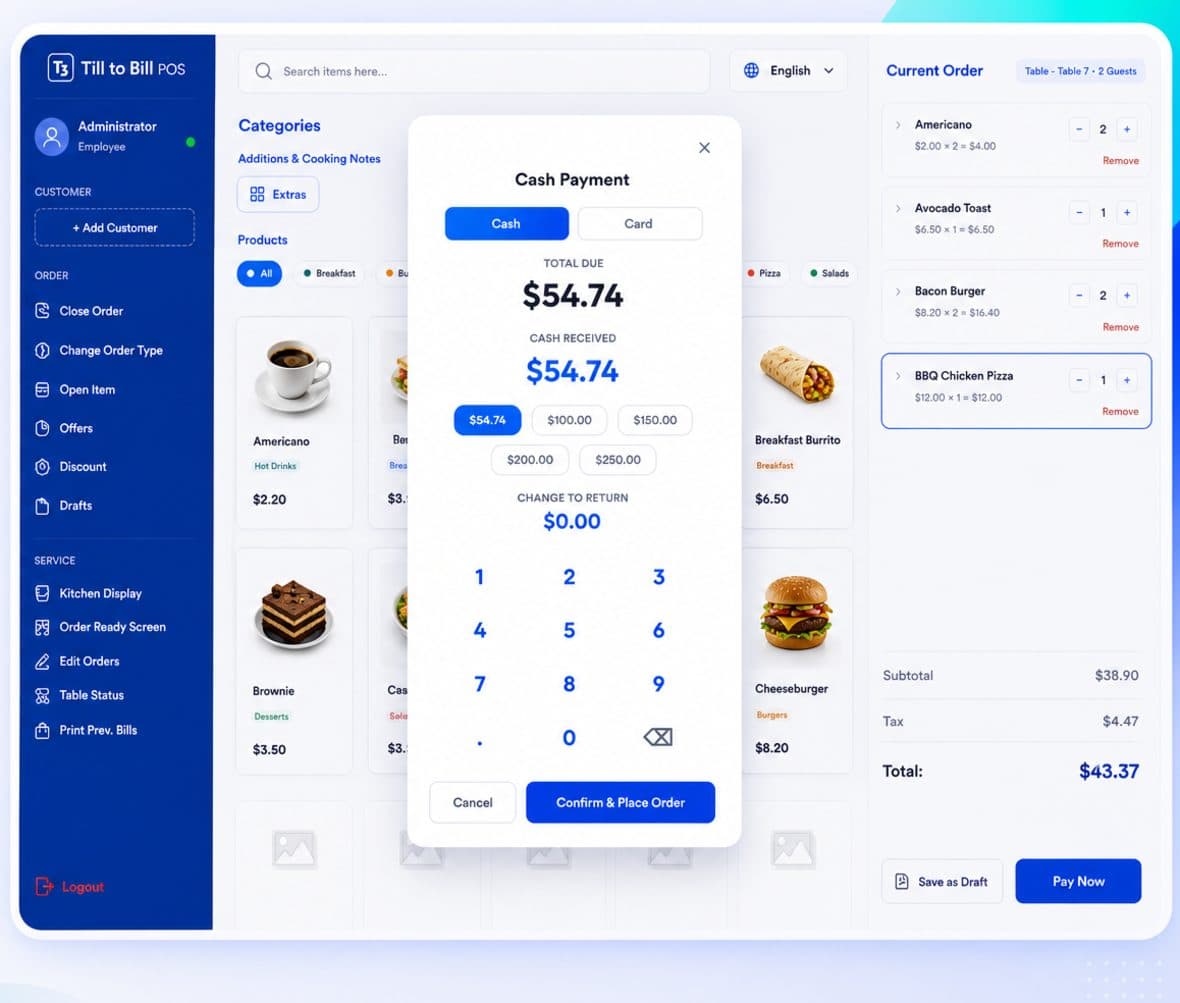
Cash and card tender on one panel, with a keypad, quick amounts and live change. Keep whichever card machine you already have — the till records the tender and reconciles it.
How it works
Choose the tender
Cash or card tabs, with amount due, tendered and change shown live as you type.
Take it
Quick-amount buttons for the usual notes, or the keypad for anything else.
Print and go
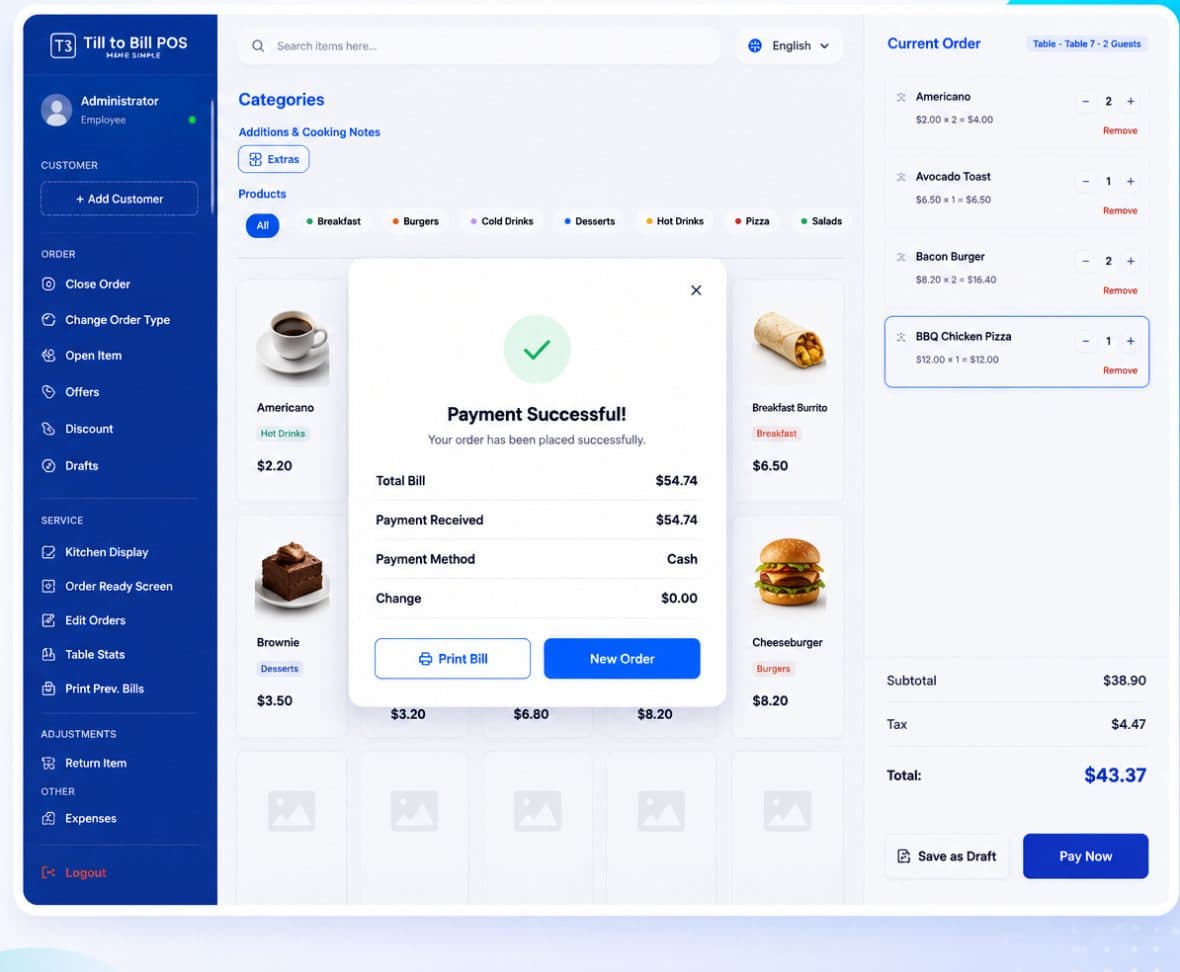
Total, method, amount received and change on the confirmation screen, then Print Bill or New Order.
What is included
Cash and card tabs
One panel handles both. Change is calculated as you type, so nobody does mental arithmetic at the counter.
Quick amounts and keypad
The notes your customers actually hand over as one-tap buttons, with a full keypad behind them.
Print previous bills
Reprint any earlier bill from the till rail without going near the back office.
Tax calculated per order
Tax sits on the order rather than buried in the price, which is what makes clean tax reporting possible.
Bring your own card machine
Till to Bill records the tender and keeps your sales and takings straight. It does not lock you into an acquirer, so you keep whatever card rate you have already negotiated.
- No acquirer lock-in and no terminal rental from us
- Card tender recorded against the order for reconciliation
- Cash, card and split tender all reported separately
Questions we get asked
See it on your own menu
Send your menu across and we will build it into a live demo till before the call.