
Hospitality · Take away
Every order in one queue, whoever sent it
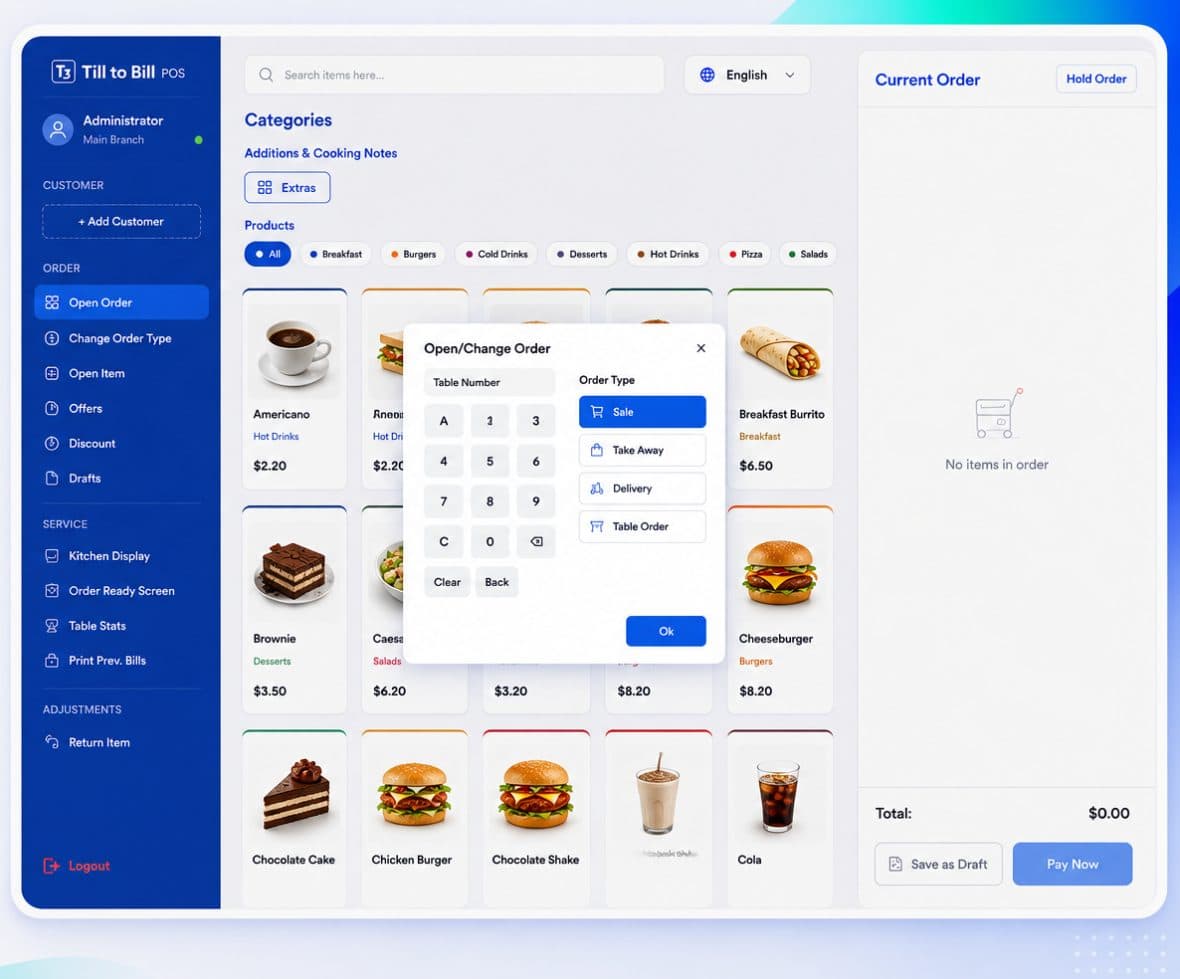
Take out and delivery as first-class order types, rung in once, routed to the kitchen with the type on the ticket, and reported separately from your eat-in trade.
Sound familiar?
Delivery orders scribbled on a pad beside the till
No way to tell take-out margin from eat-in margin
Quoting twenty minutes when the kitchen is forty deep
What you get on day one
Take out and delivery order types
Chosen when the order is opened, changeable mid-order, and carried through to the kitchen ticket and every report.
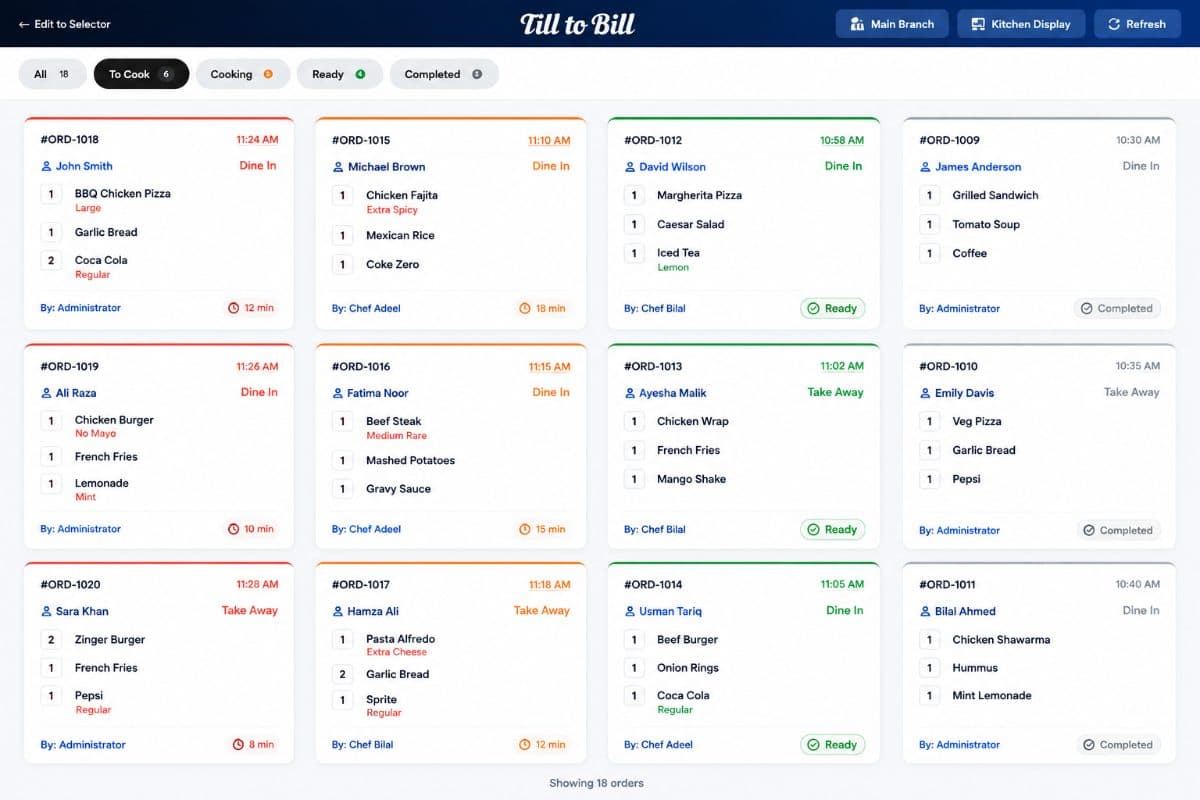
Kitchen sees the type
The ticket says whether it is plating up or bagging up, so nothing goes out on a plate that should have gone in a box.
Drafts for phone orders
Park an order while you take the address, recall it when the customer confirms.
Customer directory
Save a customer at the till mid-order and attach them to the next one.
One queue, whatever the service mode
Counter, take out and delivery all land on the same kitchen screen with their type on the ticket, so there is no second tablet propped against the wall to watch.
- One kitchen queue for every order type
- Order Ready screen for collections
- Type recorded on every sale for reporting
3
order types, reported separately
1
kitchen queue
0
orders written on a pad
Three tablets went in a drawer the day we switched. Everything prints in one place now.
Questions we get asked
See it on your own menu
Send your menu across and we will build it into a live demo till before the call.