
Management
Ingredients, per branch, with an expiry date
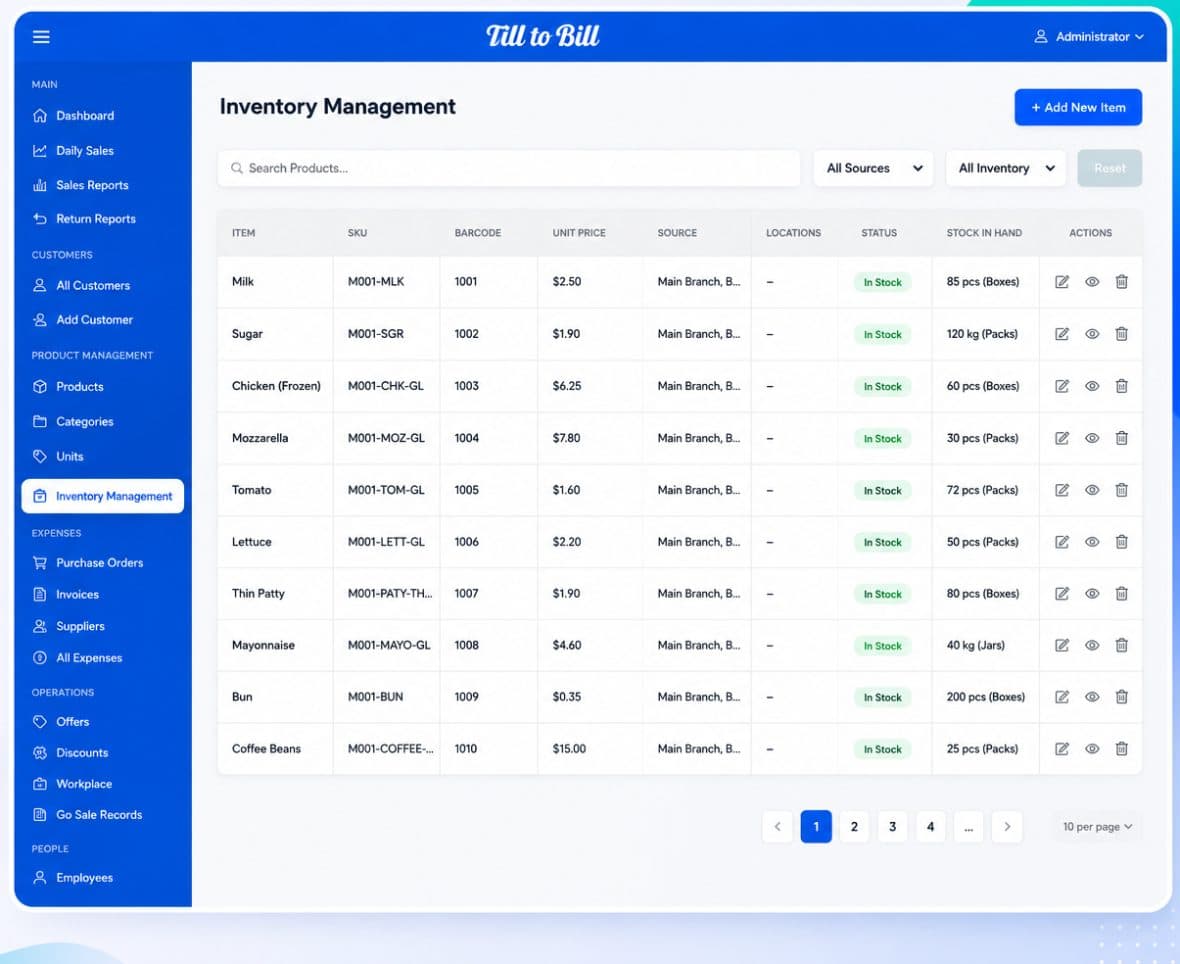
Stock is tracked as ingredients with SKU, quantity, unit price, branch, expiry and supplier — and every sale at the till depletes them through the product recipe.
How it works
Build the catalog
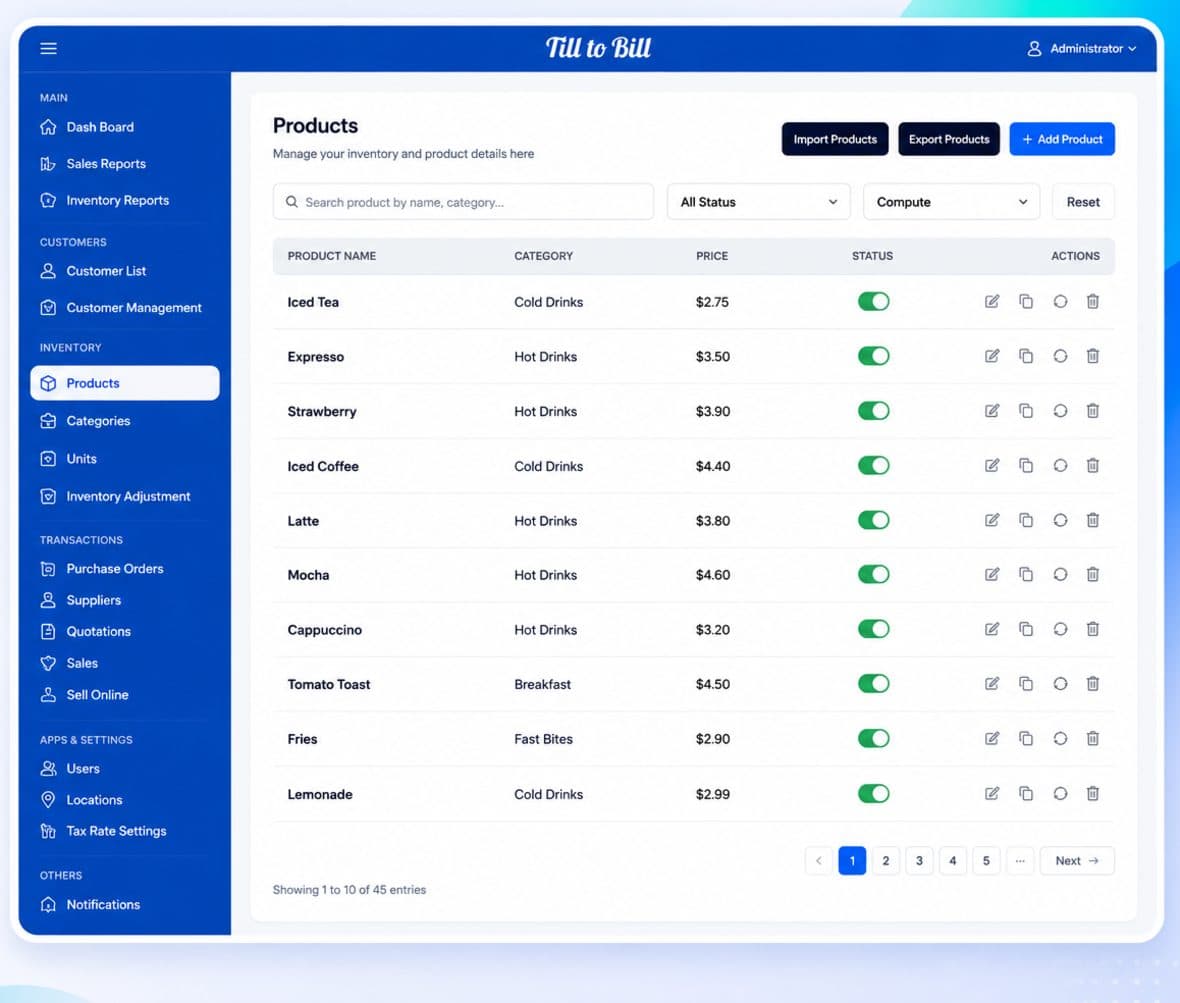
Products, categories and sub-categories, with bulk Import Products and Export Menu.
Link ingredients
Compose each product from ingredients so a sale depletes the right stock at the right branch.
Buy and receive
Suppliers, purchase orders and invoices as proper back-office records, with expenses alongside.
What is included
Stock per branch
The same ingredient held at five branches, counted and filtered separately.
Expiry dates
Expiry on stock lines — the thing most retail-shaped systems leave out and food service actually needs.
Suppliers linked to stock
Contact details tied to the ingredients and branches they supply.
Purchase orders and invoices
First-class records rather than an email trail, with expenses recorded from the till or the back office.
Import and export
Bring a catalog in from a file and export the menu back out. The fastest part of switching systems.
Status filters
In stock, out of stock, by branch, by supplier — the four filters you actually use.
One chain: ingredient to product to branch
The recipe link is the substantial part of the system. It means a sold dish moves real stock at a real branch, rather than a product count that drifts from reality within a fortnight.
- Recipe depletion through ingredients
- Waste written off against branch stock
- Expiry visible before it becomes a problem
Questions we get asked
See it on your own menu
Send your menu across and we will build it into a live demo till before the call.